
LuckyElf Casino in Your Pocket
We built the LuckyElf Casino app for people who read the terms before they spin: 100% on your first deposit, 100 free spins, and 12 payment methods from Visa to TRON, all settled in AUD. Slots, live tables, poker and sports sit behind one login.

Introducing the LuckyElf Casino App
One account, one AUD balance and the full lobby on your phone.
The LuckyElf Casino app puts our full lobby on your phone: slots, live dealer tables, poker and a sportsbook, all under one login. We built it so players keep the same account, balance and bonus terms they see on desktop, without entering their details again every session. Everything is shown in AUD, so a $50 deposit appears as $50 on screen, with no converted figure to work out.
Games come from four studios. Evolution runs the live blackjack, roulette and game shows, while Pragmatic Play, NetEnt and Push Gaming supply the slots. The titles players open most on mobile are Gates of Olympus, Book of Dead and Starburst. Each provider sets its own RTP, so check the game info panel before you play. The percentage published there is the one that applies.
Banking in the app matches the website: Visa, Mastercard, Maestro, Skrill, Neteller, ecoPayz and Paysafecard, plus Bitcoin, Ethereum, Litecoin, Dogecoin and TRON. New accounts can claim the welcome offer of a 100% deposit match and 100 free spins. Read the wagering requirement, maximum bet and expiry date in the bonus terms before you opt in. Those three clauses decide what the offer is really worth.
If something goes wrong, you can reach support by live chat, email or phone straight from the app menu. The sections below cover installation, device requirements and what differs from the browser version.
Mobile Site vs Application: How the Two Compare
The same account, games and payments, delivered two different ways.
We run one account system across both formats. Your balance in AUD, your bonus progress and your verification status follow you whether you open LuckyElf Casino in a phone browser or through the installed application. Nothing is duplicated and nothing needs to be re-registered.
The differences are practical ones: how you get in, how much storage you give up and how alerts reach you. The game library from Evolution, Pragmatic Play, NetEnt and Push Gaming is identical in both, so Gates of Olympus or Book of Dead will not behave differently depending on the format. Read the rows below and pick the one that suits your device and habits.
| Feature | Mobile site | Application |
|---|---|---|
| Installation | None, opens in any current browser | One-time install, uses device storage |
| Login | Email and password each session, or browser autofill | Saved session with optional fingerprint or Face ID login |
| Game library | Full catalogue, including Starburst and live tables | Full catalogue, same titles and RTP settings |
| Payments | Visa, Mastercard, Skrill, Neteller, Bitcoin, Ethereum and more | Same 12 methods, same limits |
| Notifications | Only while the tab is open | Push alerts for bonuses and withdrawals |
| Updates | Automatic on page reload | Prompted in-app, takes a minute to apply |
| Support | Live chat, email, phone | Live chat, email, phone |
| Best for | Shared devices or low storage | Regular play on your own phone |
Download LuckyElf Casino on Android
How to get the app on your phone, what it needs and what to check before you install it.
Android players install LuckyElf Casino from our website as a direct APK file. Google Play has strict rules for real-money gambling apps, so the file comes from our own domain. That is normal for offshore casinos, but it means you should only download it from the official site and never from a mirror or a forum link.
The app shows the same lobby as the desktop site. You get Evolution live tables, Pragmatic Play's Gates of Olympus, Book of Dead and NetEnt's Starburst, plus Push Gaming titles. Balances are in AUD. Deposits work with Visa, Mastercard, Skrill, Neteller, Paysafecard and crypto such as Bitcoin, Ethereum, Litecoin and TRON. The welcome offer of 100% plus 100 free spins applies in the app on the same terms as on the website, so read the wagering clause before you claim it.
Before you start, check that your phone has some free storage and a current Android version. Older handsets may load live dealer streams slowly.
Visit LuckyElf Casino in Chrome on your phone and tap the Android download button in the menu.
When Android asks, turn on 'Install unknown apps' for your browser only. You can turn it off again afterwards.
Open the downloaded file from your notifications and tap Install. It usually takes under a minute.
Launch the app, then sign in or create an account. Set deposit limits in your profile before you play.
Installing LuckyElf Casino on iOS
Add the web app to your Home Screen through Safari in under two minutes.
We do not publish a native App Store download. On iPhone and iPad, LuckyElf Casino installs as a web app through Safari, which places an icon on your Home Screen and opens the site full-screen without the browser bar. Nothing gets written to your device beyond a shortcut and a small cache, so there is no separate update cycle to manage.
The web app gives you the same account, balance and AUD wallet as the desktop site. Slots such as Gates of Olympus, Book of Dead and Starburst load in the same lobby, and Evolution live tables stream in portrait or landscape. Deposits by Visa, Mastercard, Skrill, Neteller or Bitcoin work exactly as they do on a computer.
One clause worth reading: Home Screen installation only works from Safari. Chrome and Firefox on iOS can open the site but do not offer the same install option on every iOS version.
Go to the LuckyElf Casino website in Safari, not in an in-app browser from email or social media.
Press the square with an upward arrow at the bottom of the screen on iPhone, or at the top right on iPad.
Scroll the share menu, select Add to Home Screen, keep the suggested name or edit it, then tap Add.
Open the new icon, sign in with your existing details or register, and allow notifications only if you want bonus alerts.
Full App Features
What the LuckyElf Casino app does, listed feature by feature with no padding.
We load the same slot catalogue as the desktop site, with titles from Pragmatic Play, NetEnt and Push Gaming. Gates of Olympus, Book of Dead and Starburst sit in the top row. You can search by game name or filter by provider.
Evolution streams its live tables to the app, sized for portrait or landscape. Bet limits are shown on each table tile before you join, so you can check the minimum stake before you sit down.
The sportsbook and poker sections sit on the same wallet as the casino. One balance covers slots, live tables and sports bets, and you do not need to transfer funds between sections.
The cashier accepts Visa, Mastercard, Maestro, Skrill, Neteller, ecoPayz and Paysafecard. On the crypto side, it takes Bitcoin, Ethereum, Litecoin, Dogecoin and TRON. Each method shows its minimum deposit and expected processing time before you confirm.
New accounts can claim the 100% deposit match and 100 free spins directly from the app. The wagering requirement and expiry date appear on the offer card itself, not hidden in a separate page.
Live chat opens inside the app without logging you out of a game. Email and phone contacts are listed under the same menu, and your chat transcripts are kept on your account.
You can set deposit limits, session reminders and self-exclusion from the profile screen. Lowering a limit takes effect immediately. Raising one involves a waiting period.
LuckyElf Casino App Screenshots
Six screens from the mobile app, each with a note on what it shows and where to tap.
We picked these six screens because they cover the parts of the app people ask us about most: the lobby, the cashier, live tables, sports and the account area. Each caption says what is on that screen and what it is for. Nothing else is added.
Prices and balances are shown in AUD. The welcome offer is a 100% match plus 100 free spins, and its wagering terms appear in full in the promotions tab. Read them before you opt in. They are not shortened into a banner.
The cashier lists Visa, Mastercard, Maestro, Skrill, Neteller, ecoPayz, Paysafecard and five cryptocurrencies, so the range is wide. Minimums and processing times are shown next to each method, not on a separate help page.
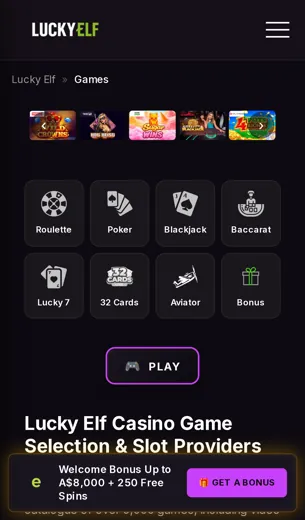
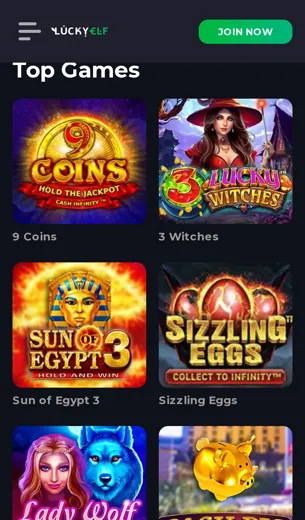
Slots grouped by provider, including Pragmatic Play, NetEnt and Push Gaming. Gates of Olympus and Book of Dead sit in the top row.
Starburst in portrait mode. The bet size, balance in AUD and the paytable button all stay visible while you play.
Deposit and withdrawal methods, from Visa to Bitcoin, Ethereum, Litecoin, Dogecoin and TRON, each with its own limits.
Evolution tables with the seats left and the minimum stake shown before you join.
Pre-match and in-play markets with a bet slip that collapses to the bottom of the screen.
Bonus progress, deposit limits, and buttons for live chat, email and phone support.
First Deposit Bonus on the App
A 100% match and 100 free spins, and the terms you should read before you claim them.
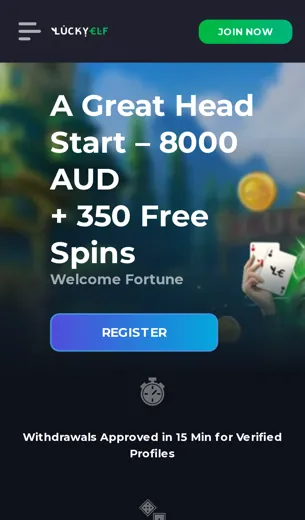
Our first deposit offer in the LuckyElf Casino app is a 100% match on your opening deposit plus 100 free spins. The match doubles what you pay in, up to the cap shown on the promotions page at the moment you claim. The spins go to a nominated slot. Neither part is credited at registration. Both are released once the deposit has cleared.
The offer is limited to one per player, and the account holder must be the owner of the payment method. Visa, Mastercard, Maestro, Bitcoin, Ethereum, Litecoin, Dogecoin and TRON are all accepted for deposits. Some welcome offers exclude e-wallets such as Skrill, Neteller or ecoPayz, so check the method list in the bonus terms before you pay.
Bonus funds have a wagering requirement. The multiplier, the maximum stake per spin while wagering and the expiry period are all printed in the terms. Read those three figures rather than the headline. Slots such as Gates of Olympus, Book of Dead and Starburst count toward wagering at the stated rate. Live tables from Evolution normally count for less, or not at all.
- Match: 100% of the first deposit, up to the published cap
- Free spins: 100, credited after the deposit clears
- Limit: one claim per player and payment account
LuckyElf Casino App FAQ
Short, exact answers to what players ask before they deposit.
What exactly is LuckyElf Casino?
We run an online casino and sportsbook in AUD, with slots, live tables, poker and betting. Games come from Evolution, Pragmatic Play, NetEnt and Push Gaming.
Is LuckyElf Casino legit?
We hold a Curaçao licence. The licence details are in the legal section at the bottom of this page, so you can check them yourself.
How do I check if any casino is legit?
Find the licence number, then look it up on the regulator's own register. Next, read the withdrawal terms and confirm that real studios supply the games.
How can I spot a fake gambling site?
Warning signs: no licence, a bonus with no written terms, only one payment method and no way to contact support.
What is the welcome offer?
A 100% deposit match plus 100 free spins. The bonus terms set out the wagering and the maximum bet.
What does a 40x wagering requirement mean?
You wager the bonus 40 times before you can withdraw it. On a $50 bonus that is $2,000 in total bets.
Which payment methods work in the app?
Visa, Mastercard, Maestro, Skrill, Neteller, ecoPayz, Paysafecard, Bitcoin, Ethereum, Litecoin, Dogecoin and TRON.
Can I play Gates of Olympus or Book of Dead on mobile?
Yes. Both run in the app, and so does Starburst.
How do I reach support?
Live chat, email or phone. Live chat is usually the quickest.
Is any casino guaranteed to pay out?
No. Results are random, so only stake what you can afford to lose and set a deposit limit first.